方式1:shape-outside属性
除了用一些常规的相关属性处理外,还可以传入带透明度的占位符图片url
比如像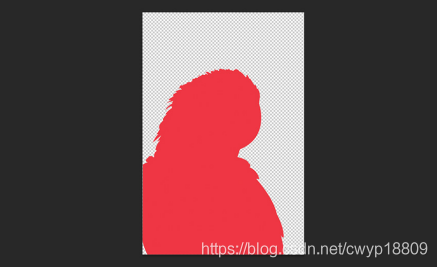
在设置好相关的浮动方向,最后将图片定位在相应的位置,就可以达到预期的悬浮效果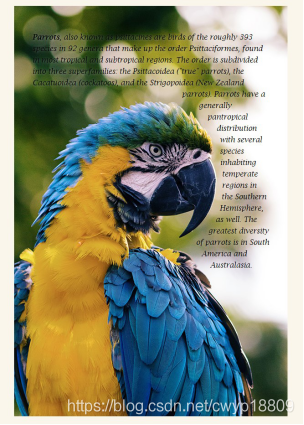
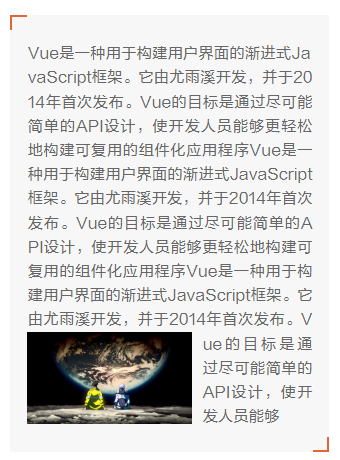
优点:省事,一个属性解决一切。
缺点:某些情况下,字数必须要有一定数量(比如上图左下角悬浮的情况),如果字数不够那么字体撑起的高度比占位图还低那便达不到左下角悬浮的效果。另外需要额外切图。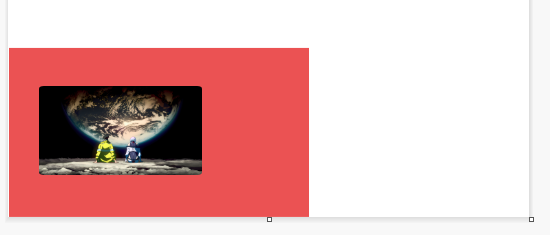
注:像这种情况剩余的红色部分都会作为文本与图片的间距
参考样例
<!doctype html>

<html>

<head>

<meta charset="utf-8">

<title>鹦鹉</title>

<style type="text/css">

clearfix:before,

.clearfix:after {

  content: " ";

  /* 1 */

  display: table;

  /* 2 */

}


.clearfix:after {

  clear: both;

}


/**
 * For IE 6/7 only
 * Include this rule to trigger hasLayout and contain floats.
 */


.clearfix {

  *zoom: 1;

}


body {

  font-family: "Helvetica Neue", Helvetica, arial, freesans, clean, sans-serif;

  color: #66595c;

  background-color: #faf6ec;

}


/* Start the styles  */


blockquote {

  font-family: "Lucida Bright", Georgia, serif;

  font-style: italic;

}

blockquote {

  padding-top: 40px;

}

blockquote p {

  line-height: 1.6;

  color: #000;

  text-shadow: 1px 1px 5px rgba(255, 255, 255, 0.32);

}


.container {

  width: 600px;

  height: 900px;

  margin: 30px auto;

  background-image: url('https://lourfield.github.io/advanced-css-shapes/img/parrot.jpg');

  background-repeat: no-repeat;

}


.shape {

  width: 600px;

  height: 900px;

  float: left;

  shape-image-threshold: 0.5;

  shape-outside: url('https://lourfield.github.io/advanced-css-shapes/img/parrot-shape.png');

  shape-margin: 15px;

}

</style>

</head>


<body>

<div class="support-css-shapes"></div>


<div class="container clearfix">

  <div class="shape"></div>

  <blockquote>

    <p><strong>Parrots</strong>, also known as psittacines are birds of the roughly 393 species in 92 genera that make up the order Psittaciformes, found in most tropical and subtropical regions. The order is subdivided into three superfamilies: the Psittacoidea

      ("true" parrots), the Cacatuoidea (cockatoos), and the Strigopoidea (New Zealand parrots). Parrots have a generally pantropical distribution with several species inhabiting temperate regions in the Southern Hemisphere, as well. The greatest diversity

      of parrots is in South America and Australasia.</p>

  </blockquote>

</div>

</body>

</html>
方式2:单纯使用浮动占位的方式
核心:靠浮动的块将图片挤到想要的位置
比如要实现左下悬浮
<div class="container">
  <div class="empty"></div>
  <div class="imgbox">
    <img
      src="../wallpaper1681960076897.jpg"
      width="200"
      height="200"
      />
  </div>
  <div class="text">
    文本....
  </div>
</div>
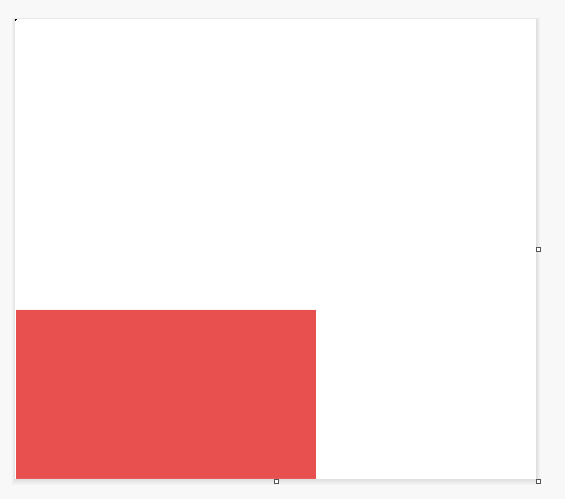
empty块就起到了浮动占位的作用
充分利用浮动的特性完成文本环绕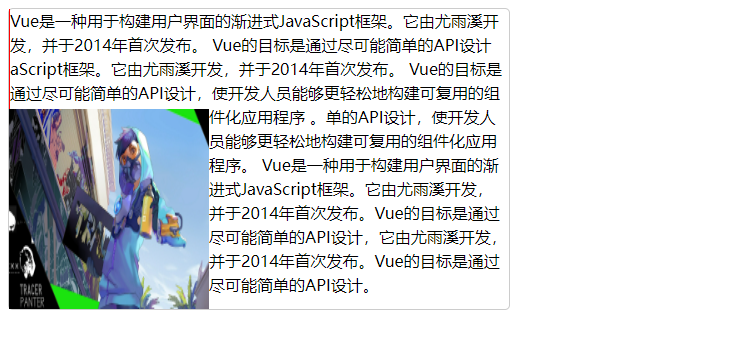
红线部分即是占位符的内容
很多时候图片是固定的,但文本不固定,文本的高度也就不固定,需要主动计算。
<script>
  $(function () {
    function addEmptyHeight() {
      let height = $("#txt").height();
      let top = height < 512 ? 0 : 512;
      $("#empty").css("height", height - top + "px");
    }

    const imgNodes = document.querySelectorAll('#txt img') || [];
    let imgArr = imgNodes instanceof HTMLImageElement ? [imgNodes] : [...imgNodes]; // 将NodeList类数组对象转Array,Array才有forEach方法

    if (imgArr.length === 0) {
      addEmptyHeight();
    } else {
      // 文本里面有图片则需要等待里面所有图片加载完成后再添加高度
      imgArr.forEach(img => {
        let timer = setInterval(() => {
          if (img.complete) { // 图片加载完成后执行
            addEmptyHeight();
            // 图片加载完成后清除定时器
            clearInterval(timer);
          }
        }, 50);
      });
    }
  })
  </script>
优点:不需要额外切图,纯靠浮动控制即可。
缺点:某些情况需要手动计算高度已达到自适应,同时图片与文字之前的间距还需要额外的调整。
参考样例
<!DOCTYPE html>
<html lang="en">
    <head>
        <title></title>
        <meta charset="UTF-8" />
        <meta name="viewport" content="width=device-width, initial-scale=1" />
        <link href="css/style.css" rel="stylesheet" />
    </head>
    <body>
        <div class="container">
            <div class="empty"></div>
            <div class="imgbox">
                <img
                    src="../wallpaper1681960076897.jpg"
                    alt=""
                    width="200"
                    height="200"
                />
            </div>
            <div class="text">
                Vue是一种用于构建用户界面的渐进式JavaScript框架。它由尤雨溪开发,并于2014年首次发布。
                Vue的目标是通过尽可能简单的API设计aScript框架。它由尤雨溪开发,并于2014年首次发布。
                Vue的目标是通过尽可能简单的API设计,使开发人员能够更轻松地构建可复用的组件化应用程序
                。单的API设计,使开发人员能够更轻松地构建可复用的组件化应用程序。
                Vue是一种用于构建用户界面的渐进式JavaScript框架。它由尤雨溪开发,
                并于2014年首次发布。Vue的目标是通过尽可能简单的API设计,它由尤雨溪开发,
                并于2014年首次发布。Vue的目标是通过尽可能简单的API设计。
            </div>
        </div>
    </body>
    <style>
        .container {
            width: 500px;
            height: 300px;
            border-radius: 5px;
            border: 1px solid #ccc;
        }
        .empty {
            width: 1px;
            height: 100px;
            float: left;
            background-color: #f00;
        }
        .imgbox {
            float: left;
            clear: left;
        }
        .text {
            line-height: 24px;
        }
    </style>
</html>
相关链接
https://blog.csdn.net/cwyp18809/article/details/105097750
https://blog.csdn.net/weixin_48658667/article/details/128865740